Sothink SWF Decompiler for Windows

Easily recover SWF to FLA (supports Flash v6, v7, v8, v9 and v10) or FLEX project. Completely compatible with AS3.0 and Flash CS4 , and can export every SWF element...

Buy Now (V5.4)

screenshot

Flash Decompiler for Windows


Flash Decompiler convert swf to fla

View Tutorial

Convert SWF to FLA/FLEX project

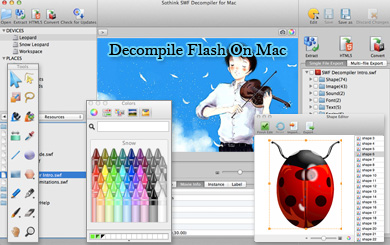
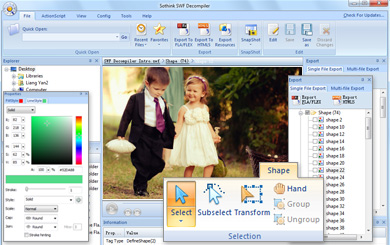
Do you have such experience: Computer crashed and you’ve lost FLA files/FLEX project which are urgently needed to edit the Flash movie. The deadline is coming, and what to do? If you have Flash Decompiler of Sothink, you need only one step - click the Convert button! It can convert your SWF to FLA/FLEX project completely and quickly. Even multiple files can be exported at the same time by one click.

Decompile SWF - SWF Extractor - export SWF resources

Extract SWF from the Flash of EXE format

You can apply this SWF Decompiler to easily extract SWF from the Flash of EXE format.

Decompile SWF - SWF Extractor - export SWF resources

View Tutorial

Export SWF Resources

If you do not want to convert SWF to FLA, but only want to export the resources you have used, like image or sound, it is perfectly OK. With Sothink SWF Decompiler, you can get these resources again by exporting the Flash elements, such as Shape, Morph Shape, Image, Sound, Font, Text, Sprite, Button, Frame and Action. The exported format can be SWF, FLA or their common formats for easy-editing in Flash!

Decompile SWF - SWF Extractor - export SWF resources

Support Exporting AS files in HTML format

In order to view ActionScript files easily and clearly, you can export the AS files in HTML format.


SWF Catcher - Catch SWF

View Tutorial

Catch Flash and Decompile SWF

Also lost SWF in your hard disk? That’s no matter. Sothink SWF Decompiler enables you to catch Flash movies on web pages. Then you can save it again. Convert the SWF to FLA or export some special Flash elements as you like.

Compatible with Flash 6 to 9

Compatible with Flash 6 to 10

Flash Decompiler supports Flash 6, Flash MX 2004 (V7), Flash 8, Flash CS3 (V9) and Flash CS4 (V10). To get the optimal exporting and editing result, you can choose a file version for the exported FLA that is matched with the Flash program installed on your computer.

Compatible with AS 2 & 3

Switch Multi-Language Interface

The program provides multi-language interface to satisfy different users, so you can choose the familiar language interface to work with. The available languages include French, Traditional Chinese, English, German, Italian and Korean.

View and Play Flash by Flash Decompiler

View and Play Flash by Flash Decompiler

The built-in Flash viewer of Flash Decompiler enables you to view and play the Flash movies, no matter *.swf files, Flash Video (.flv) file, or the standalone Flash movies which have been packaged to *.exe files. Control the movie by playback control bar, such as play or stop the Flash animation; zoom in or zoom out the Flash movie; forward and backward, and highlight to view the current frame in total frame. And also, you can view the movie or element in original size or a size matching the window.


Compatible with AS 2 & 3

Compatible with AS 2 & 3

Flash Decompiler can decompile the code written in ActionScript 2 or 3 and display the readable code in ActionScript window with syntax highlighting; it supports exporting ActionScript 2 and 3 while converting SWF to FLA.

Process Multi-file

Process Multi-file

Sothink SWF Decompiler can decompile and convert multi-file to FLA files at the same time, or export the resources to the certain file format for reuse. Just pick up the SWF or EXE files and add their directories into Multi-file Export list, and then click the button "Export". All the selected files will be exported completely, no matter where the files locate in.


Where can I get Flash Decompiler?


How can I support from Flash Decompiler project?


Guides for Flash Decompiler

Free Handy Tools for Flash Developer

Flash Decompiler Customer ReviewsFlash Decompiler Awards